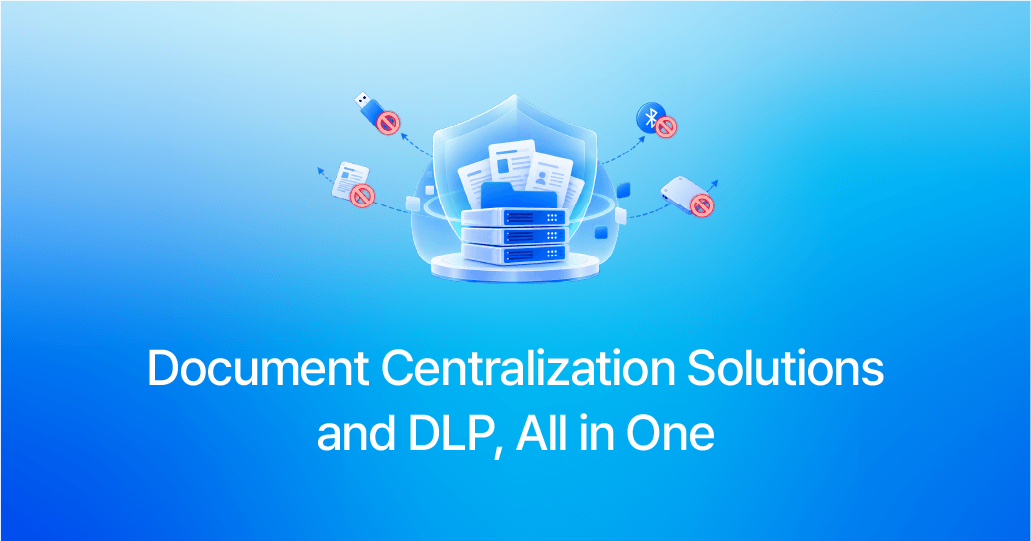
Cyberdigm has newly integrated DLP (Data Loss Prevention) capabilities into its document centralization solution to provide stronger protection for critical enterprise documents.
With this integration, organizations can not only centrally store documents and manage access permissions, but also control potential data leakage through various channels, including USB drives and external storage devices, networks, printing, websites, and email.
Most importantly, there is no need to introduce a separate management environment. Administrators can manage both document centralization and DLP policies within the existing document centralization admin console, enabling more efficient management of everything from document governance to external data transfer controls in a single environment.
Manage Document Centralization and DLP Policies in One Place
With DLP capabilities now integrated, administrators can configure and manage both document centralization and DLP policies directly from the existing document centralization admin console.
From document centralization policies that govern centralized storage and access permissions to DLP policies that control external data transfer channels such as removable media, networks, and printing, everything can be managed within a single administrative environment.
This enables organizations to manage document security and data loss prevention more efficiently.
DLP policies are configured separately from document centralization policies, allowing administrators to combine the necessary control categories, such as removable media, networks, and printing, based on their security requirements. Policies can also be applied differently by department or individual user, enabling organizations to tailor controls to their specific work environments and security requirements.
As the scope of security management expands, administrators do not need to switch between separate management environments.
The ability to manage both document centralization and DLP policies within a single admin console is at the core of this DLP integration.
their specific work environments and security requirements.
As the scope of security management expands, administrators do not need to switch between separate management environments.
The ability to manage both document centralization and DLP policies within a single admin console is at the core of this DLP integration.
Control Key Channels Through Which Documents Can Leave the Organization
DLP capabilities extend security beyond document centralization by enabling organizations to manage a wider range of potential data leakage channels.
① USB Drives and Other Removable Media
Access levels can be configured by media type, including USB drives, external HDDs, CDs/DVDs, MTP devices, and Bluetooth.
Activities such as file copying and transfer can also be logged, allowing administrators to monitor and manage data transfers through removable media.
② Network
Network communications can be allowed or blocked based on applications and processes.
Administrators can configure detailed policies based on IP addresses, ports, protocols, and other criteria to control network communications according to business requirements.
③ Printing
Printing permissions can be configured for individual documents, including options such as allow printing, print with watermark, or block printing.
Watermarks can display information such as the user who printed the document, department, IP address, and print date and time. Administrators can also review print logs and image logs to track printing activity.
④ Websites and Email
Local file attachments can be controlled based on approved websites, while local file attachment activity through Outlook can also be logged.
This extends security controls to file transfers through websites and email.
Monitor Control Events and Policy Change History at a Glance
With DLP, it is important not only to control potential data leakage channels but also to understand which policies are applied to each user and what activities actually occur.
Through DLP logs, administrators can centrally review control events related to printing, removable media, networks, file transfers, and other activities.
Along with allow/block results, administrators can view details such as the user, activity performed, IP address, and date and time, providing visibility into how security policies are being enforced in the actual work environment.
Administrators can also review the history of DLP policy creation, modification, deletion, and assignment, as well as the policies currently applied to each user. This enables organizations to manage the entire process—from policy
configuration and deployment to monitoring results—within a single workflow.
Users can also view the document centralization and DLP policies applied to their own environment.
Three Key Benefits of Integrating DLP with Document Centralization Solutions
01. Unified Management from a Single Admin Console
Document centralization and DLP policies can be configured and managed from a single admin console.
Without having to switch between separate management environments, administrators can manage everything from user- and department-specific policy settings to policy enforcement status in one place, improving the efficiency of security operations.
02. Reduced Burden of Deploying a Separate DLP Solution
Instead of deploying and operating document centralization and DLP as separate solutions, organizations can integrate DLP capabilities into their existing document centralization environment to simplify the deployment and operation of their security environment.
This also reduces the operational burden of managing separate administrative environments for each solution.
03. From Document Management to External Data Transfer Control
In addition to centralized document storage and access control, organizations can manage major data leakage channels, including USB drives and external storage devices, networks, printing, websites, and email.
By extending security controls from the way documents are stored and used to the way they are transferred outside the organization, businesses can establish a more systematic and comprehensive document security environment.



Cyberdigm has newly integrated DLP (Data Loss Prevention) capabilities into its document centralization solution to provide stronger protection for critical enterprise documents.
With this integration, organizations can not only centrally store documents and manage access permissions, but also control potential data leakage through various channels, including USB drives and external storage devices, networks, printing, websites, and email.
Most importantly, there is no need to introduce a separate management environment. Administrators can manage both document centralization and DLP policies within the existing document centralization admin console, enabling more efficient management of everything from document governance to external data transfer controls in a single environment.
With DLP capabilities now integrated, administrators can configure and manage both document centralization and DLP policies directly from the existing document centralization admin console.
From document centralization policies that govern centralized storage and access permissions to DLP policies that control external data transfer channels such as removable media, networks, and printing, everything can be managed within a single administrative environment.
This enables organizations to manage document security and data loss prevention more efficiently.
DLP policies are configured separately from document centralization policies, allowing administrators to combine the necessary control categories, such as removable media, networks, and printing, based on their security requirements. Policies can also be applied differently by department or individual user, enabling organizations to tailor controls to their specific work environments and security requirements.
As the scope of security management expands, administrators do not need to switch between separate management environments.
The ability to manage both document centralization and DLP policies within a single admin console is at the core of this DLP integration.
their specific work environments and security requirements.
As the scope of security management expands, administrators do not need to switch between separate management environments.
The ability to manage both document centralization and DLP policies within a single admin console is at the core of this DLP integration.
DLP capabilities extend security beyond document centralization by enabling organizations to manage a wider range of potential data leakage channels.
① USB Drives and Other Removable Media
Access levels can be configured by media type, including USB drives, external HDDs, CDs/DVDs, MTP devices, and Bluetooth.
Activities such as file copying and transfer can also be logged, allowing administrators to monitor and manage data transfers through removable media.
② Network
Network communications can be allowed or blocked based on applications and processes.
Administrators can configure detailed policies based on IP addresses, ports, protocols, and other criteria to control network communications according to business requirements.
③ Printing
Printing permissions can be configured for individual documents, including options such as allow printing, print with watermark, or block printing.
Watermarks can display information such as the user who printed the document, department, IP address, and print date and time. Administrators can also review print logs and image logs to track printing activity.
④ Websites and Email
Local file attachments can be controlled based on approved websites, while local file attachment activity through Outlook can also be logged.
This extends security controls to file transfers through websites and email.
With DLP, it is important not only to control potential data leakage channels but also to understand which policies are applied to each user and what activities actually occur.
Through DLP logs, administrators can centrally review control events related to printing, removable media, networks, file transfers, and other activities.
Along with allow/block results, administrators can view details such as the user, activity performed, IP address, and date and time, providing visibility into how security policies are being enforced in the actual work environment.
Administrators can also review the history of DLP policy creation, modification, deletion, and assignment, as well as the policies currently applied to each user. This enables organizations to manage the entire process—from policy
configuration and deployment to monitoring results—within a single workflow.
Users can also view the document centralization and DLP policies applied to their own environment.
01. Unified Management from a Single Admin Console
Document centralization and DLP policies can be configured and managed from a single admin console.
Without having to switch between separate management environments, administrators can manage everything from user- and department-specific policy settings to policy enforcement status in one place, improving the efficiency of security operations.
02. Reduced Burden of Deploying a Separate DLP Solution
Instead of deploying and operating document centralization and DLP as separate solutions, organizations can integrate DLP capabilities into their existing document centralization environment to simplify the deployment and operation of their security environment.
This also reduces the operational burden of managing separate administrative environments for each solution.
03. From Document Management to External Data Transfer Control
In addition to centralized document storage and access control, organizations can manage major data leakage channels, including USB drives and external storage devices, networks, printing, websites, and email.
By extending security controls from the way documents are stored and used to the way they are transferred outside the organization, businesses can establish a more systematic and comprehensive document security environment.